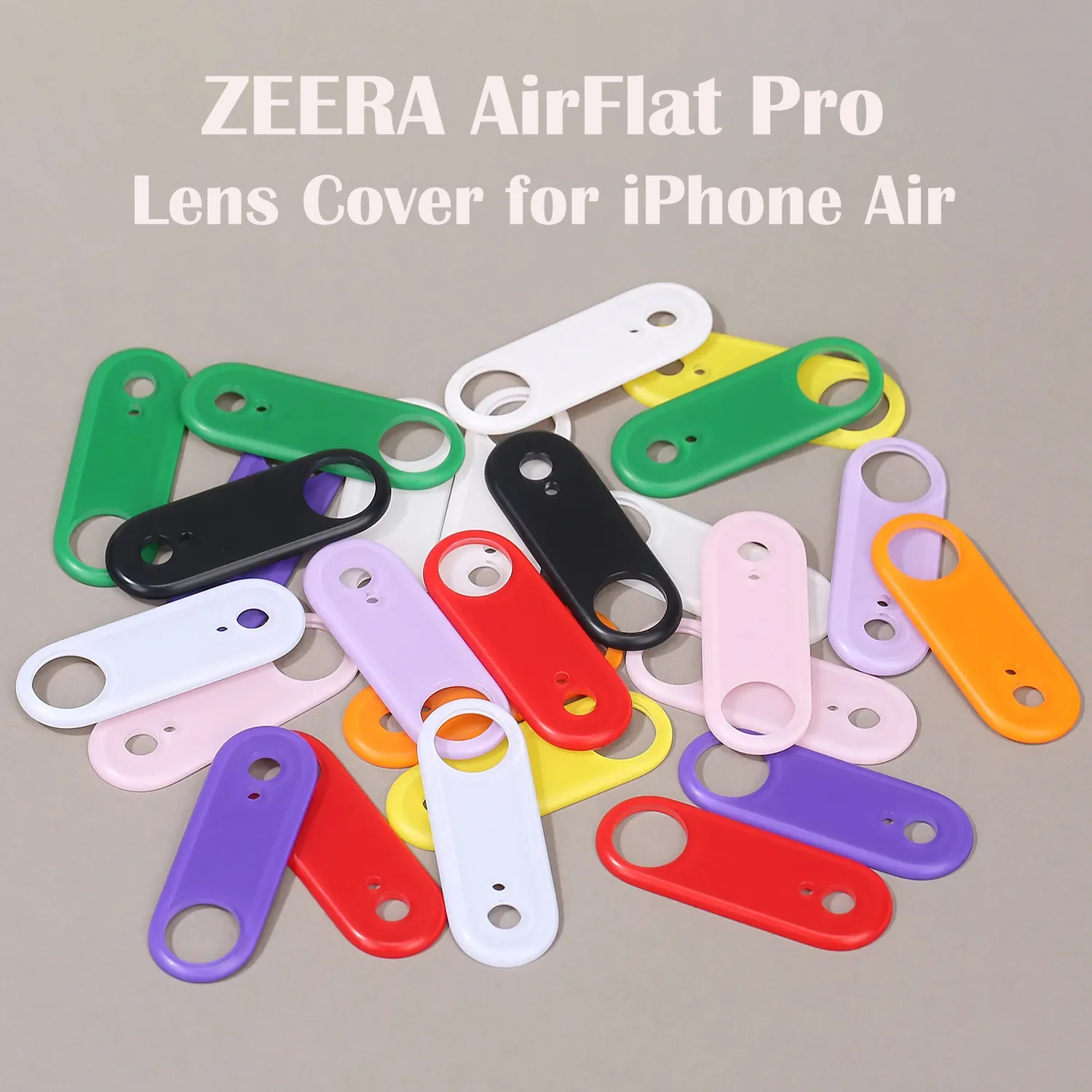
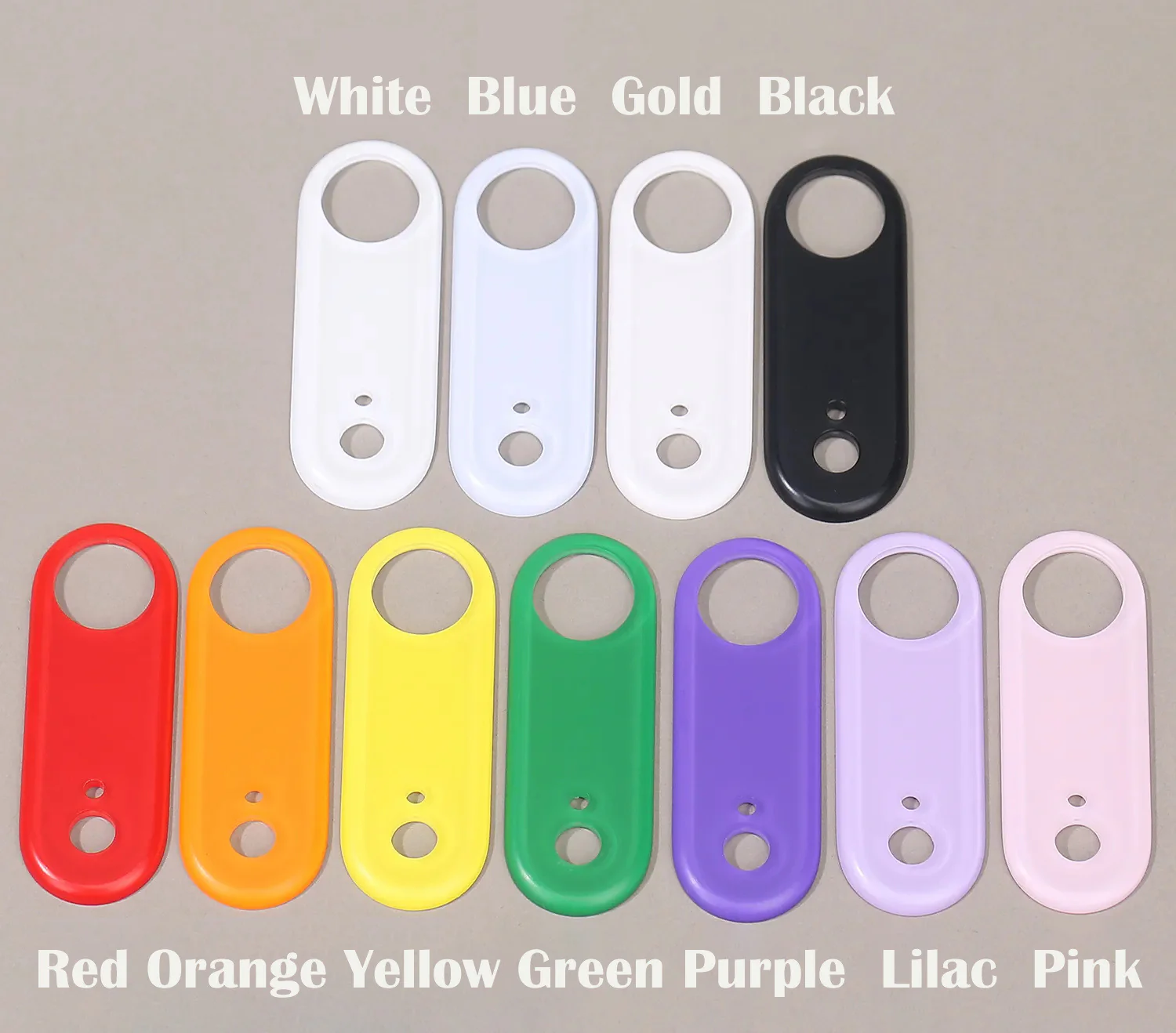
ZEERA AirFlat : Lens Cover for iPhone Air - Make Your iPhone Air Truly Flat
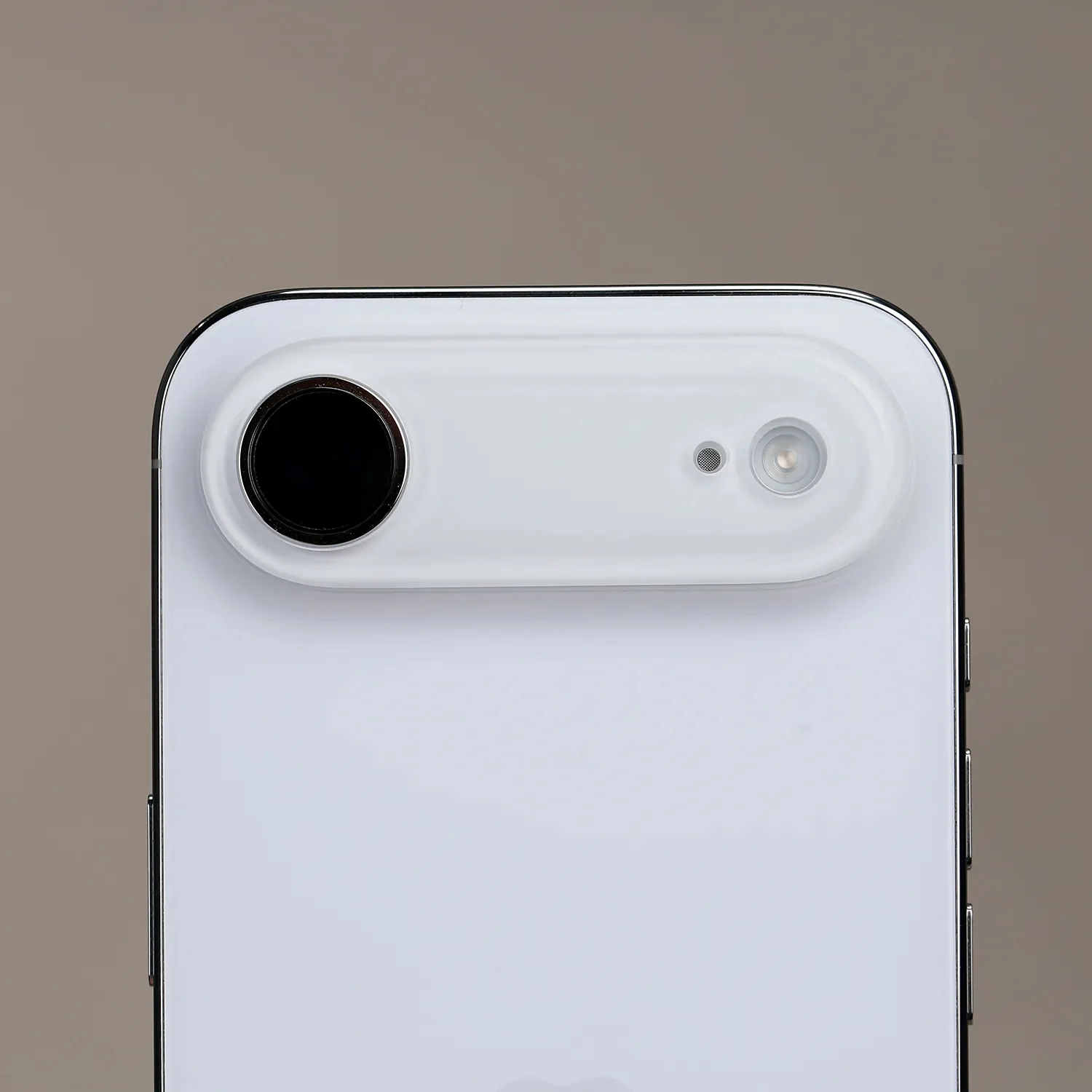
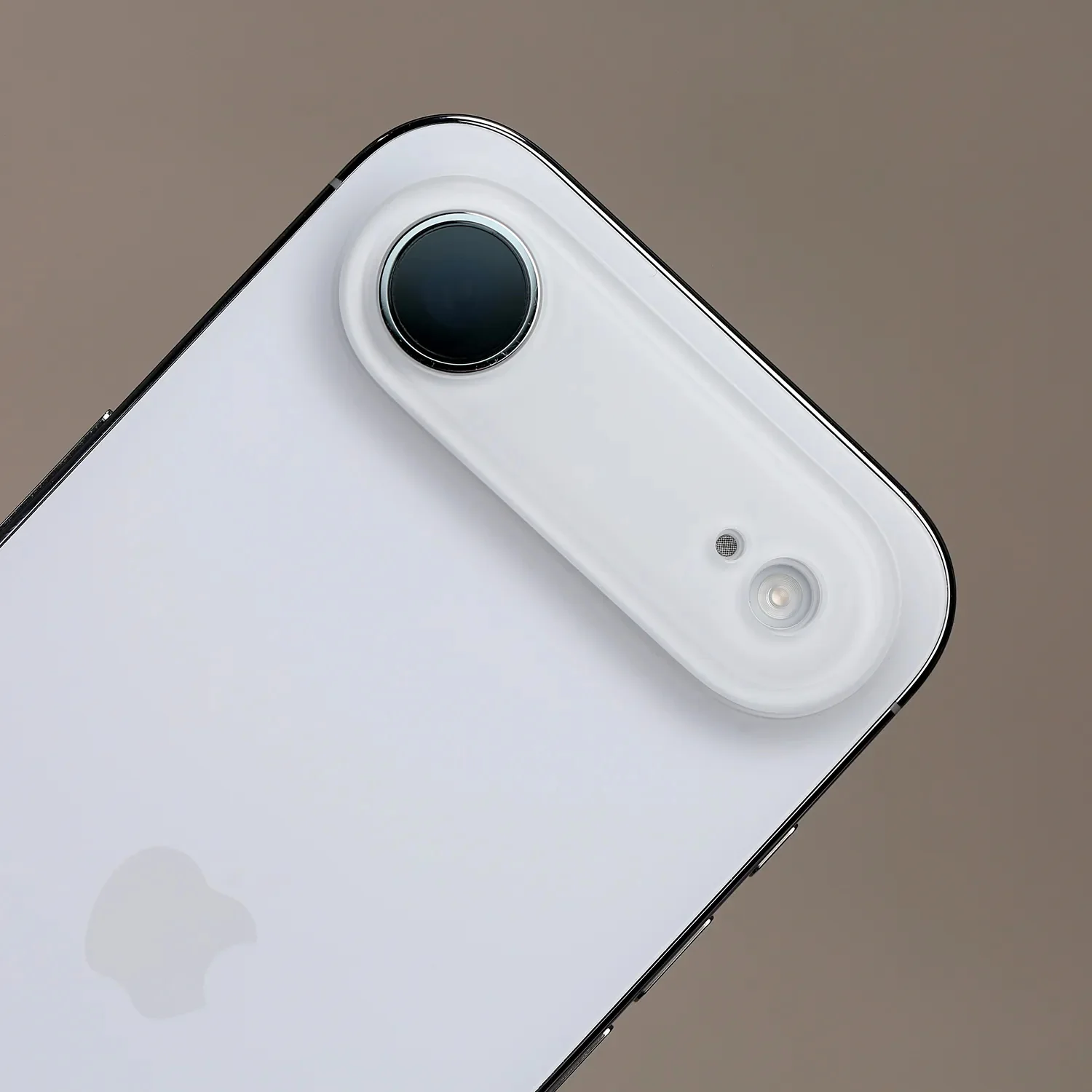
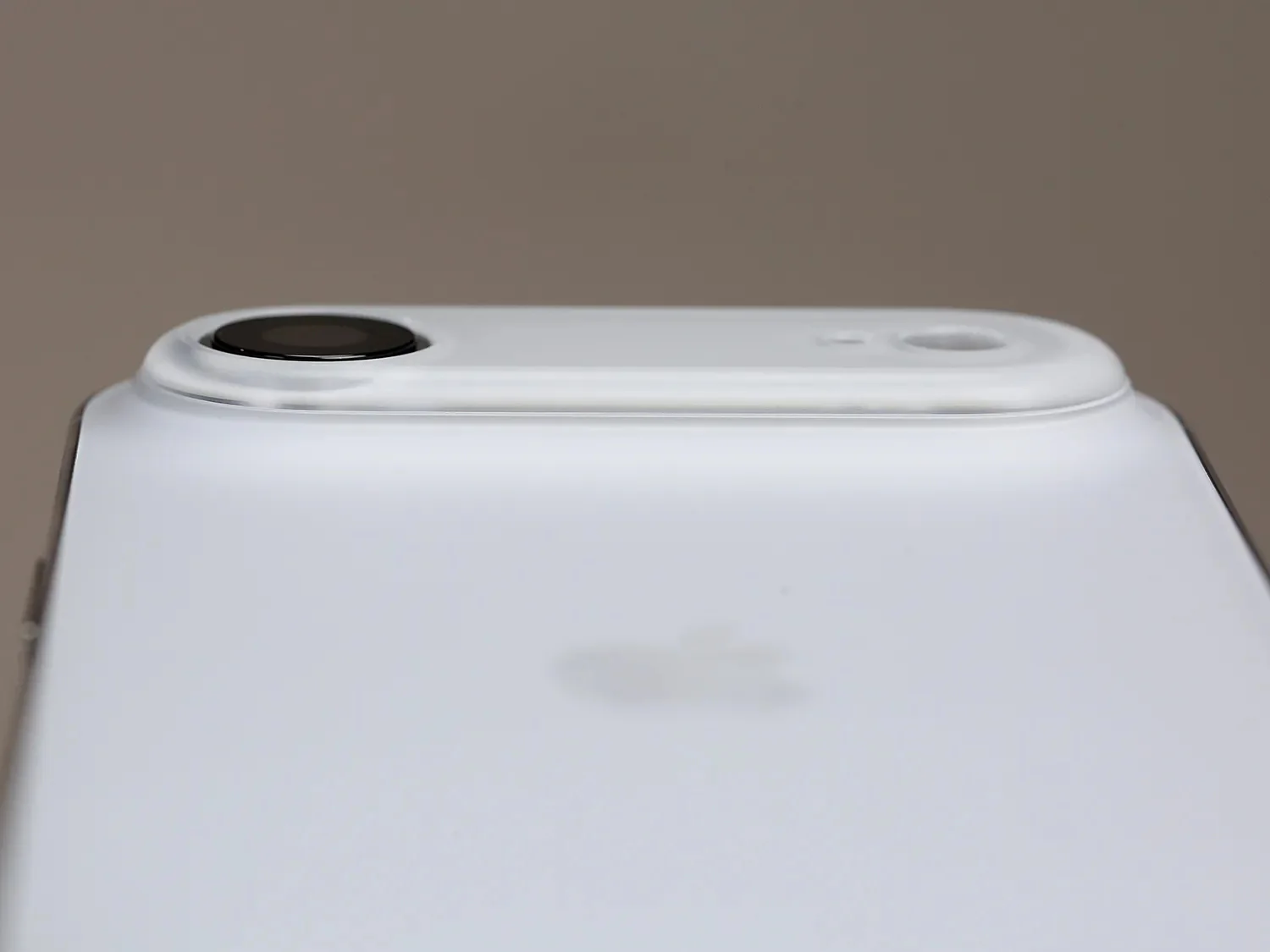
Perfectly Flush Design
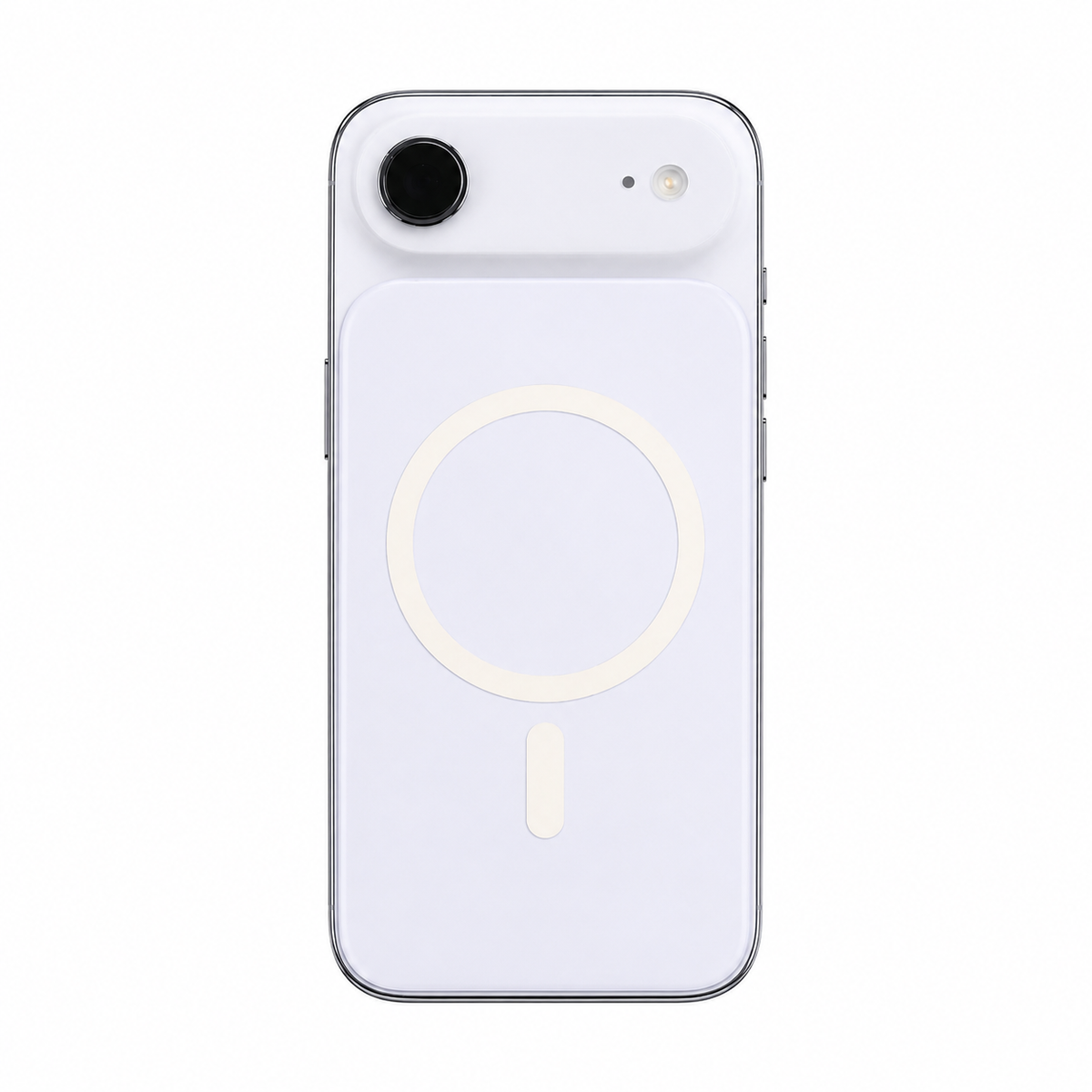
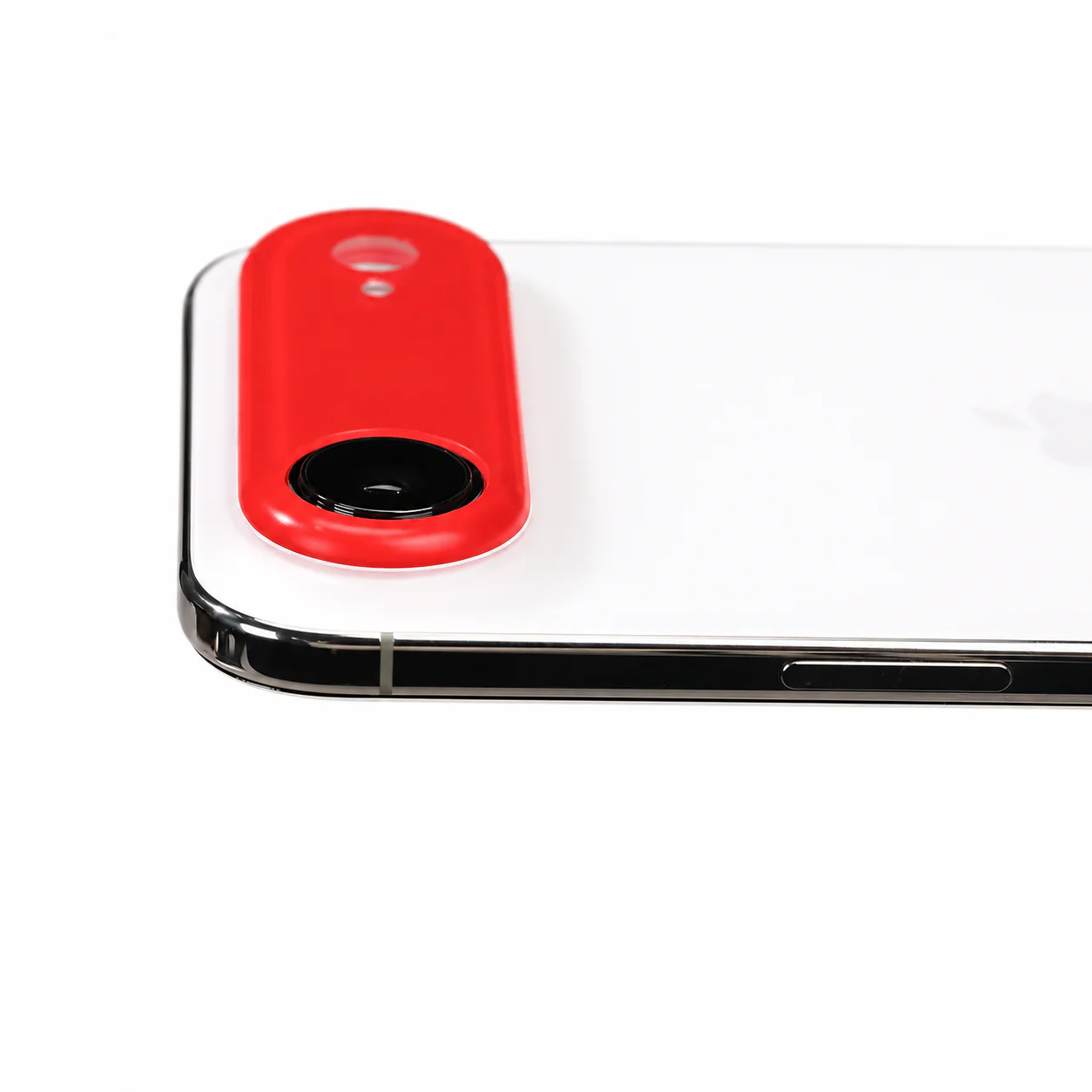
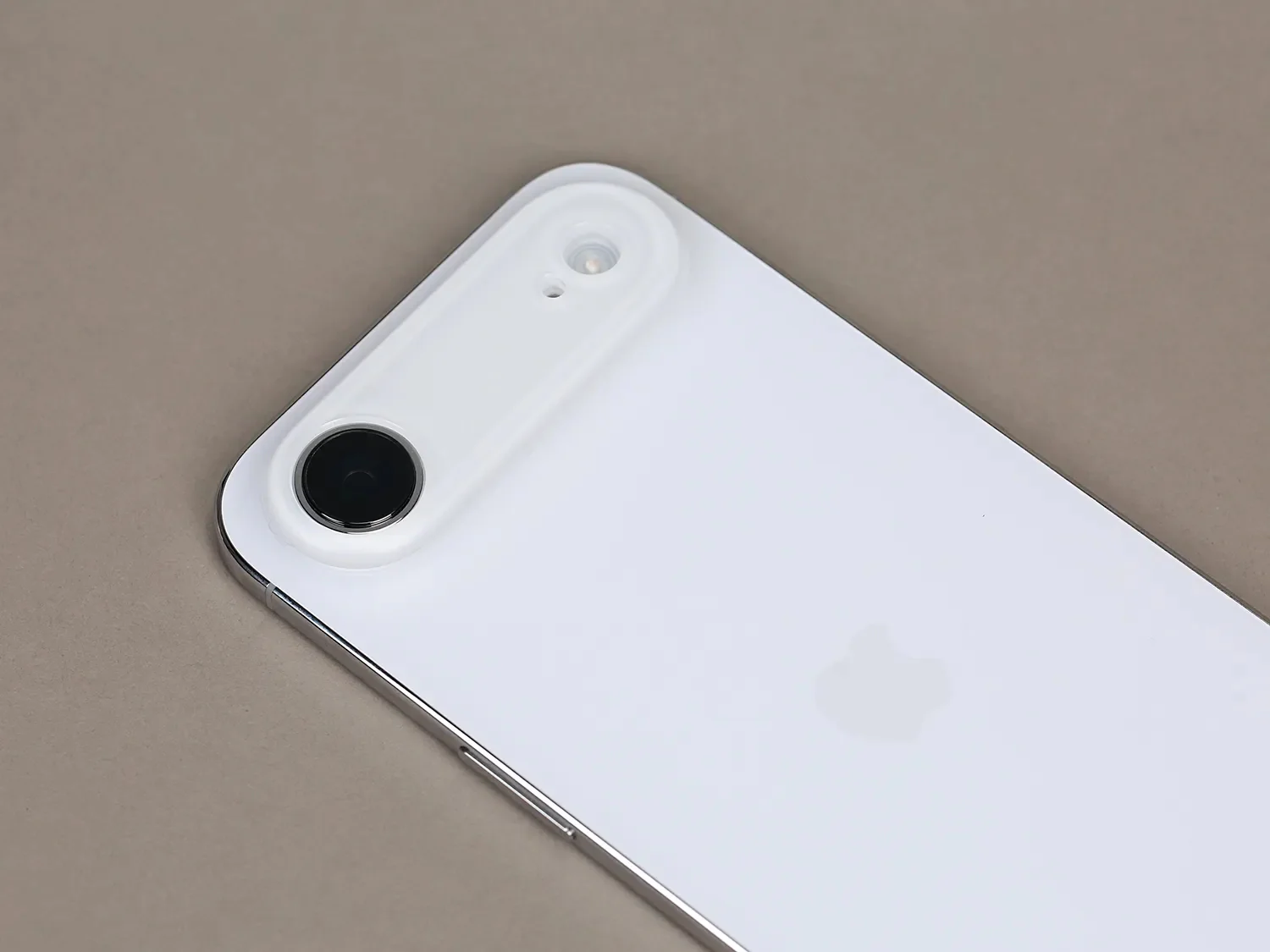
Once applied, the camera area becomes completely flat, eliminating the wobble when placing your phone on a table.
- No more “rocking”
- Clean, minimal look
- Added protection for camera lenses

Seamless Integration with iPhone Air
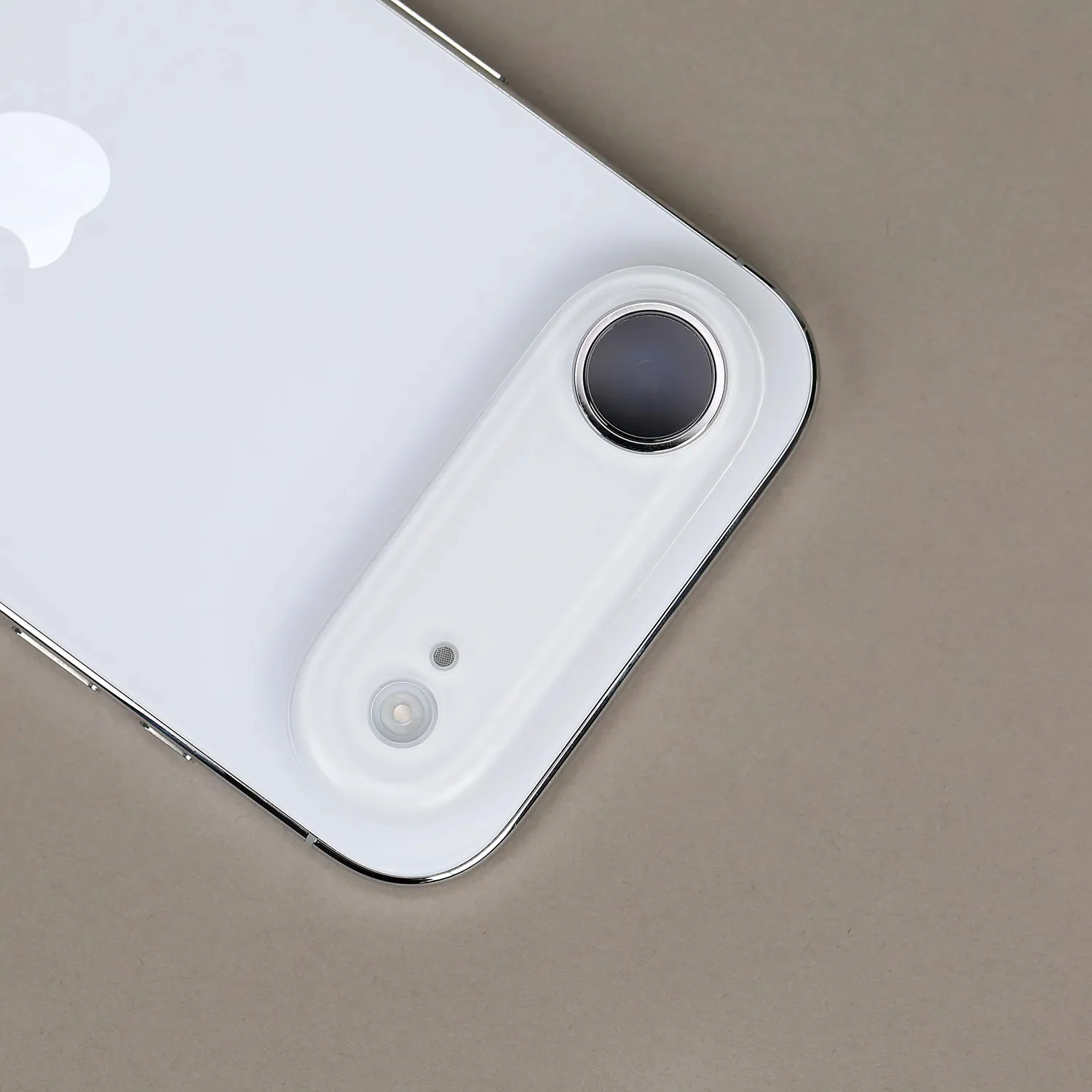
Crafted to match the iPhone Air’s aesthetic, creating a smooth, unified appearance.
Feels like part of the phone — not an add-on.

Premium Matte Finish
-
Smooth matte texture
-
Soft, refined touch
-
Rounded edges with CNC precision
Inspired by the iPhone Air back panel feel

No Yellowing Over Time
Made from high-quality PC material, ensuring:
-
Long-lasting clarity
-
Resistance to oxidation and yellowing

Secure Adhesive Fit
-
Strong adhesive backing
-
Stays firmly in place
-
No shaking or loosening

Product Specs
-
Compatible Model: iPhone Air
-
Type: Adhesive Flat Camera Lens Cover (Not a case, no frame)
-
Material: PC (Polycarbonate)
-
Weight: Approx. 3.5g
-
Dimensions:
-
Length: 64.7mm
-
Width: 23mm
-
Thickness: 2.65mm
-

How to Install & Remove ZEERA AirFlat Lens Cover
ZEERA AirFlat Lens Cover is designed to attach directly around the iPhone Air camera deco area, helping make your iPhone Air truly flat and reducing wobble when placed on a desk or flat surface.
Watch the installation and removal video here: ZEERA AirFlat Installation & Removal Video
Installation Guide
-
Clean the camera deco area
Before installation, gently clean the area around the iPhone Air camera module to remove dust, oil, or fingerprints. -
Align the AirFlat Lens Cover
Carefully align the AirFlat Lens Cover with the camera deco area. Make sure it fits evenly around the camera module before pressing it down. -
Press firmly to secure
Once aligned, press the AirFlat Lens Cover gently but firmly for a few seconds to ensure a secure attachment. -
Check the fit
After installation, place your iPhone Air on a flat surface to confirm that it sits more evenly and securely.
Removal Guide
-
Push from the right side
To remove the AirFlat Lens Cover, gently push it upward from the right side. -
Create a small raised edge
Keep pushing until part of the AirFlat Lens Cover becomes slightly higher than the camera deco area. -
Lift with your fingernail
Once a small edge is exposed, use your fingernail to gently lift the AirFlat Lens Cover upward. -
Peel off slowly
Remove it slowly and evenly. When removed properly, it should be easy to take off without leaving residue.
Important Tip: Do not use metal tools, sharp objects, or excessive force during removal, as they may scratch your iPhone or damage the AirFlat Lens Cover.


Product Information
Product Information
Shipping & Returns
Shipping & Returns
ZEERA AirFlat : Lens Cover for iPhone Air - Make Your iPhone Air Truly Flat
ZEERA AirFlat : Lens Cover for iPhone Air - Make Your iPhone Air Truly Flat
Perfectly Flush Design
Once applied, the camera area becomes completely flat, eliminating the wobble when placing your phone on a table.
- No more “rocking”
- Clean, minimal look
- Added protection for camera lenses
Seamless Integration with iPhone Air
Crafted to match the iPhone Air’s aesthetic, creating a smooth, unified appearance.
Feels like part of the phone — not an add-on.
Premium Matte Finish
-
Smooth matte texture
-
Soft, refined touch
-
Rounded edges with CNC precision
Inspired by the iPhone Air back panel feel
No Yellowing Over Time
Made from high-quality PC material, ensuring:
-
Long-lasting clarity
-
Resistance to oxidation and yellowing
Secure Adhesive Fit
-
Strong adhesive backing
-
Stays firmly in place
-
No shaking or loosening
Product Specs
-
Compatible Model: iPhone Air
-
Type: Adhesive Flat Camera Lens Cover (Not a case, no frame)
-
Material: PC (Polycarbonate)
-
Weight: Approx. 3.5g
-
Dimensions:
-
Length: 64.7mm
-
Width: 23mm
-
Thickness: 2.65mm
-
How to Install & Remove ZEERA AirFlat Lens Cover
ZEERA AirFlat Lens Cover is designed to attach directly around the iPhone Air camera deco area, helping make your iPhone Air truly flat and reducing wobble when placed on a desk or flat surface.
Watch the installation and removal video here: ZEERA AirFlat Installation & Removal Video
Installation Guide
-
Clean the camera deco area
Before installation, gently clean the area around the iPhone Air camera module to remove dust, oil, or fingerprints. -
Align the AirFlat Lens Cover
Carefully align the AirFlat Lens Cover with the camera deco area. Make sure it fits evenly around the camera module before pressing it down. -
Press firmly to secure
Once aligned, press the AirFlat Lens Cover gently but firmly for a few seconds to ensure a secure attachment. -
Check the fit
After installation, place your iPhone Air on a flat surface to confirm that it sits more evenly and securely.
Removal Guide
-
Push from the right side
To remove the AirFlat Lens Cover, gently push it upward from the right side. -
Create a small raised edge
Keep pushing until part of the AirFlat Lens Cover becomes slightly higher than the camera deco area. -
Lift with your fingernail
Once a small edge is exposed, use your fingernail to gently lift the AirFlat Lens Cover upward. -
Peel off slowly
Remove it slowly and evenly. When removed properly, it should be easy to take off without leaving residue.
Important Tip: Do not use metal tools, sharp objects, or excessive force during removal, as they may scratch your iPhone or damage the AirFlat Lens Cover.
Original: $19.99
-70%$19.99
$6.00Product Information
Product Information
Shipping & Returns
Shipping & Returns
Description
Perfectly Flush Design
Once applied, the camera area becomes completely flat, eliminating the wobble when placing your phone on a table.
- No more “rocking”
- Clean, minimal look
- Added protection for camera lenses
Seamless Integration with iPhone Air
Crafted to match the iPhone Air’s aesthetic, creating a smooth, unified appearance.
Feels like part of the phone — not an add-on.
Premium Matte Finish
-
Smooth matte texture
-
Soft, refined touch
-
Rounded edges with CNC precision
Inspired by the iPhone Air back panel feel
No Yellowing Over Time
Made from high-quality PC material, ensuring:
-
Long-lasting clarity
-
Resistance to oxidation and yellowing
Secure Adhesive Fit
-
Strong adhesive backing
-
Stays firmly in place
-
No shaking or loosening
Product Specs
-
Compatible Model: iPhone Air
-
Type: Adhesive Flat Camera Lens Cover (Not a case, no frame)
-
Material: PC (Polycarbonate)
-
Weight: Approx. 3.5g
-
Dimensions:
-
Length: 64.7mm
-
Width: 23mm
-
Thickness: 2.65mm
-
How to Install & Remove ZEERA AirFlat Lens Cover
ZEERA AirFlat Lens Cover is designed to attach directly around the iPhone Air camera deco area, helping make your iPhone Air truly flat and reducing wobble when placed on a desk or flat surface.
Watch the installation and removal video here: ZEERA AirFlat Installation & Removal Video
Installation Guide
-
Clean the camera deco area
Before installation, gently clean the area around the iPhone Air camera module to remove dust, oil, or fingerprints. -
Align the AirFlat Lens Cover
Carefully align the AirFlat Lens Cover with the camera deco area. Make sure it fits evenly around the camera module before pressing it down. -
Press firmly to secure
Once aligned, press the AirFlat Lens Cover gently but firmly for a few seconds to ensure a secure attachment. -
Check the fit
After installation, place your iPhone Air on a flat surface to confirm that it sits more evenly and securely.
Removal Guide
-
Push from the right side
To remove the AirFlat Lens Cover, gently push it upward from the right side. -
Create a small raised edge
Keep pushing until part of the AirFlat Lens Cover becomes slightly higher than the camera deco area. -
Lift with your fingernail
Once a small edge is exposed, use your fingernail to gently lift the AirFlat Lens Cover upward. -
Peel off slowly
Remove it slowly and evenly. When removed properly, it should be easy to take off without leaving residue.
Important Tip: Do not use metal tools, sharp objects, or excessive force during removal, as they may scratch your iPhone or damage the AirFlat Lens Cover.